TradeSync Pro

Smart Risk Management App & Trading Academy

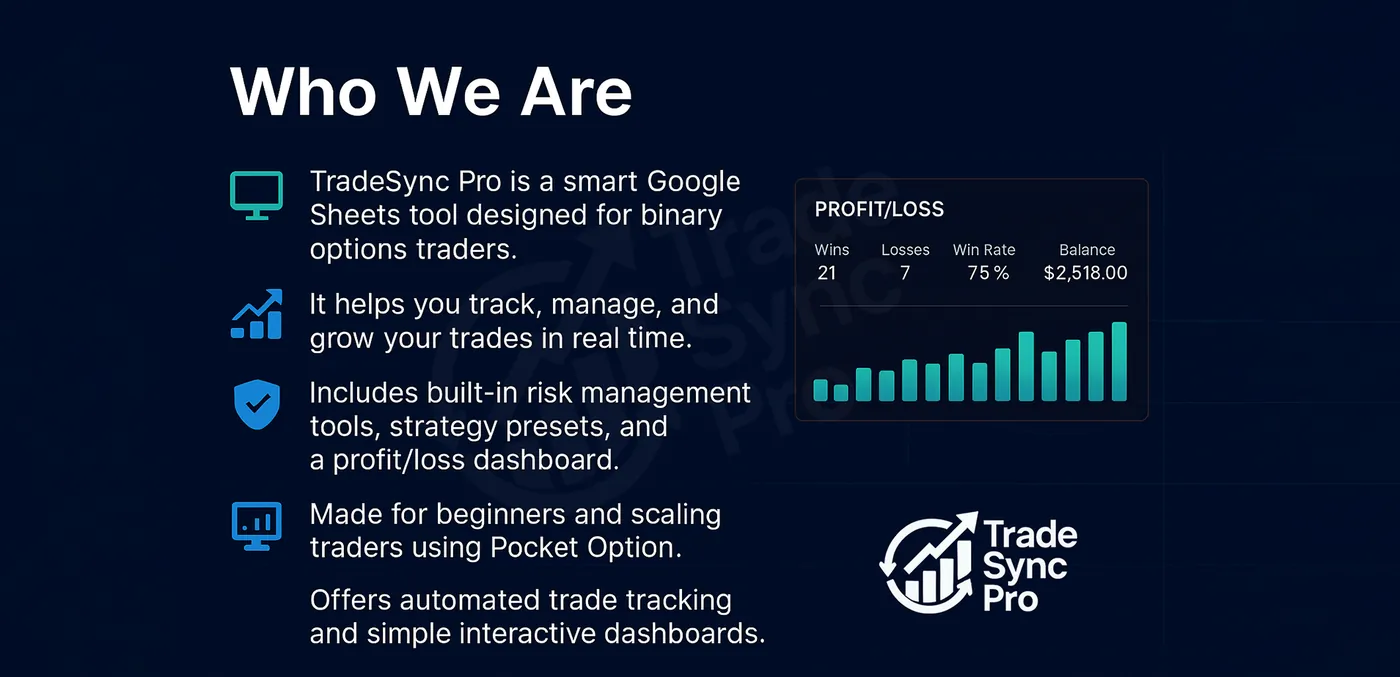
All our calculators are using the same risk management as the TradeSync Pro - Admin Bot and are free to use, however journaling and the Trading Academy are unlocked with a one time paid license.

My Account

13% W/R

Shared settings for the Fixed Profit calculator and Compound calculator below.

0
Maximum amount of recovery trades
Opening stake multiplier
Number of losing trades before you stop

Risk Management & Goal

Determines the auto-calculated Per Win Payout below, and Max Trade above
0

Fixed Profit Calculator

$

A recovery-style ladder — win any one trade within your Max Trade steps and you land on the same Take Profit every time. Turn on Starting Mtg to set your own starting stake. Turn on 3 Step to use a 3-trade recovery cycle starting from a percentage of balance (default 2%).

StatusFill in a result below to get started.
Next Balance$0.000.00%
Per Win Payout$0.00
Stop Loss$0.00
Minimum Needed$0.00

Performance Overview

Won0
Loss0
Net Profit$0.00
Session Counter:
0
#RiskResultsRewardCurrent

Compound Calculator

A win-streak ladder — each win compounds the full balance into the next stake, fixed at 5 wins. Mark a loss (or leave a step blank) and the streak stops there. Uses the Payout % from My Account above. Turn on Recovery to try a mini recovery ladder on a loss instead of ending the streak — win any one recovery step and the streak continues from the next stage exactly as if it had won.

$0.00
#RiskResultsRewardCurrent

Lot Size Calculator

This works out the Lot Size to trade and where to take profit, based on your Stop Loss, Risk % and Win Ratio.

Risk ($)$0.00
Reward ($)$0.00
Lot Size0.00
Take Profit (price)0.00000
Stop Loss Distance0 pips
Pip Value (per lot shown)$0.00

Result

—
🔒

Unlock the Trade Journal

Every session you log is saved in the background — even without a license — so your history is ready the moment you unlock.

Get a license
TradeSync Pro Trading Academy

Sign Up & Tools You'll Need

Everything below is free to create an account with — get these set up before starting The Binary Blueprint.

💬

TradeSync Pro Group

Join the WhatsApp community for signals, updates, and support.

Join Group →
🧮

Risk Management Tool

The Fixed Profit, Compound, and Forex calculators on this page — free to use.

Open Calculators →
🎯

TradeSync Pro Indicator Coming Soon

Our own TradingView indicator — setup guide will be added here once it's released.

📈

Pocket Option

The binary options broker TradeSync Pro Signals are built around.

Sign Up →
🪙

Deriv

Broker for Synthetic/Derived Indices (Volatility, Boom, Crash, Jump, Step).

Sign Up →
🔷

Hola Prime

Prop-style trading account provider.

Sign Up →
💻

MT5 (MetaTrader 5)

The charting/trading platform used for Forex, Commodities, and Indices.

Download →
📊

TradingView

Charting platform for spotting structure, S/R, and running the SMC indicator.

Visit →

Market Hours & Sessions

—

Live session status based on your device's clock — each session auto-adjusts for Daylight Saving in its own region. Session hours below are converted to your device's own local time (not the session's own local time), so you always know exactly when a session opens and closes for you — no manual conversion needed. Best pairs are general guidance, not signals.

Volume

Low Medium High

Today's Economic Calendar

Market-moving events scheduled for today. Times are shown in your device's local time.

—
TimeCurrencyImpactEventActualForecastPrevious
Loading today's events…
Calendar data supplied by Forex Factory / Fair Economy.

What a Trader Is Looking For

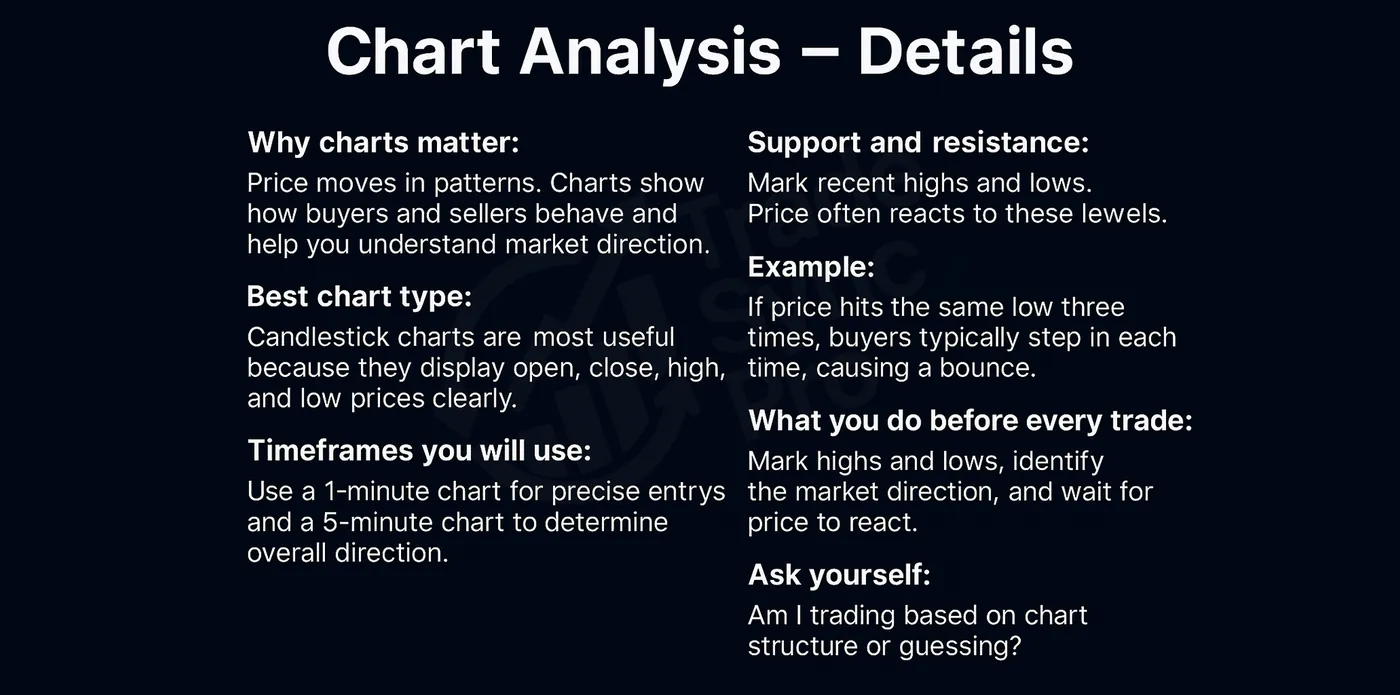
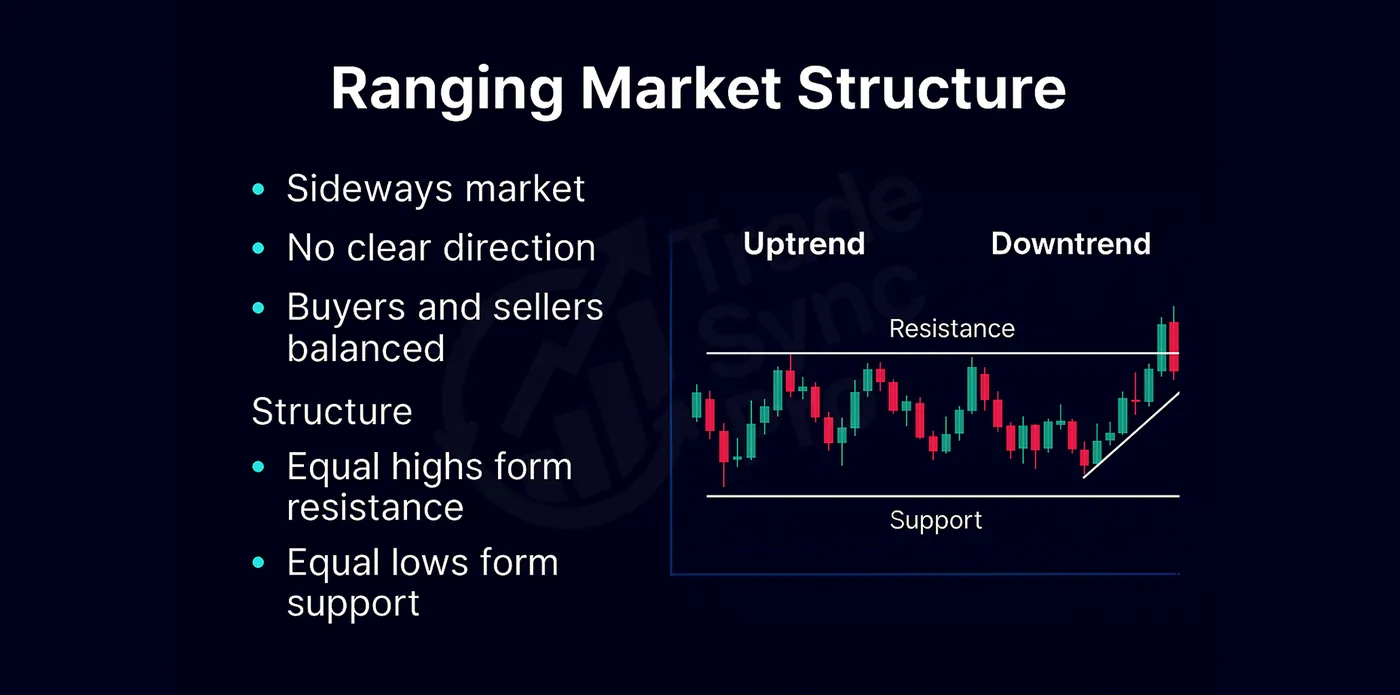
A professional trader does not enter simply because price is moving. The goal is to build a clear market narrative, wait for price to reach a meaningful location, and only act when the market confirms the idea.

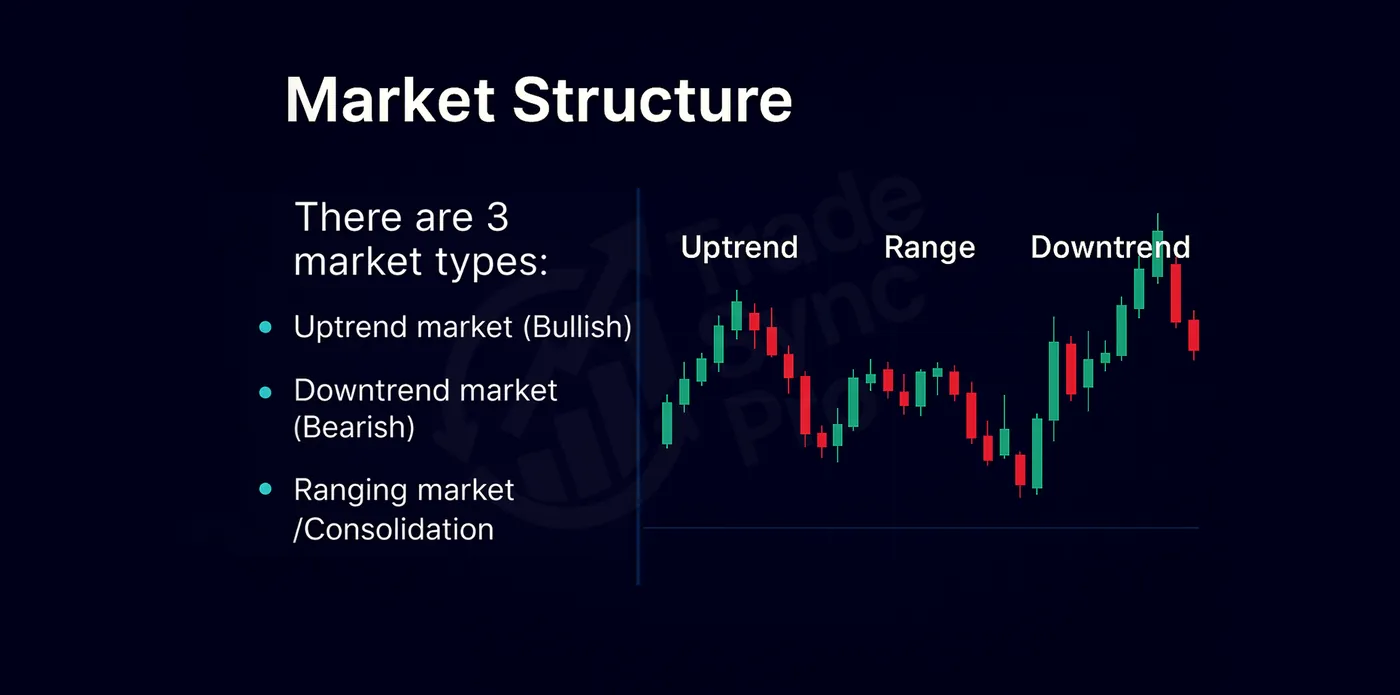
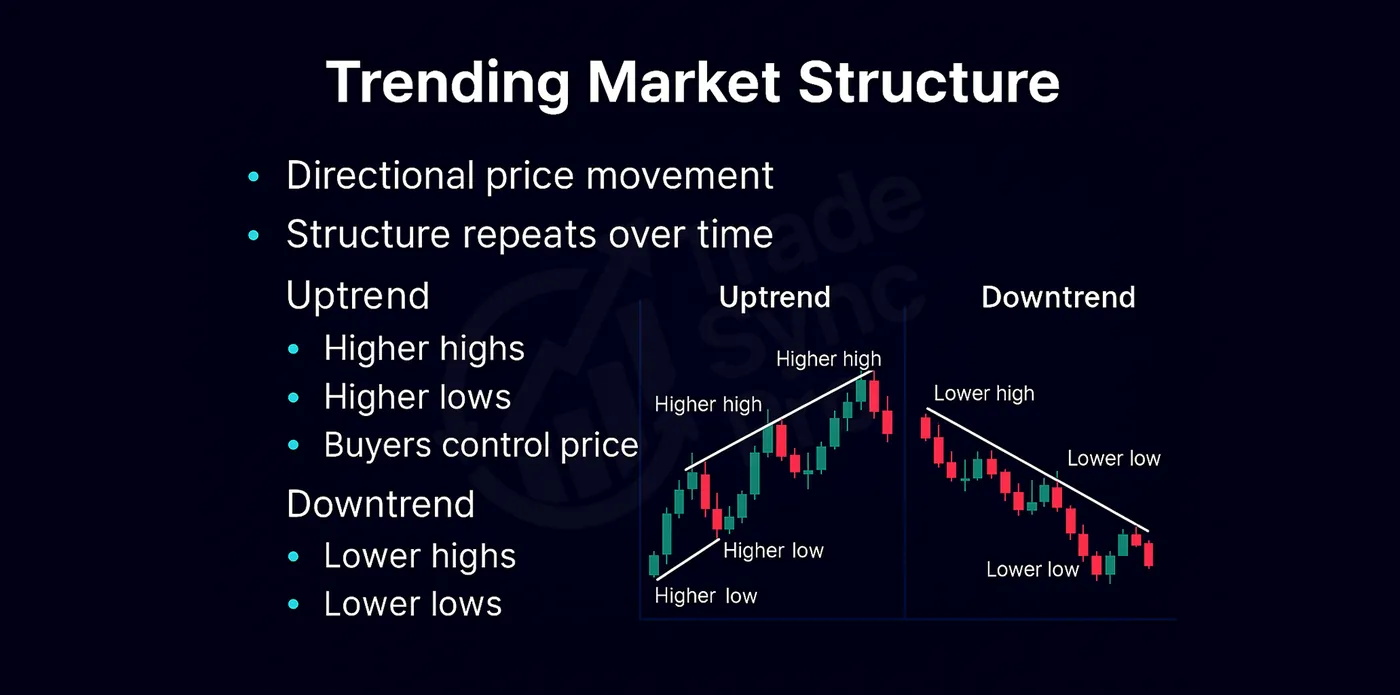
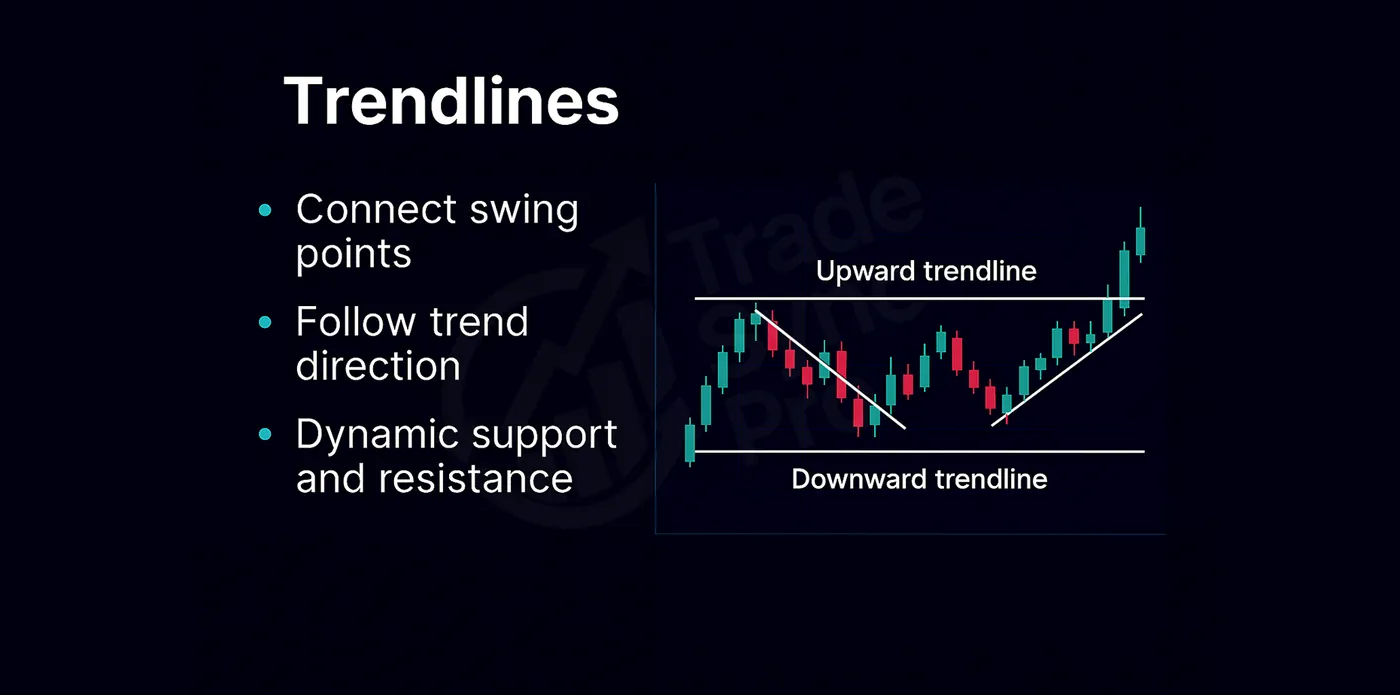
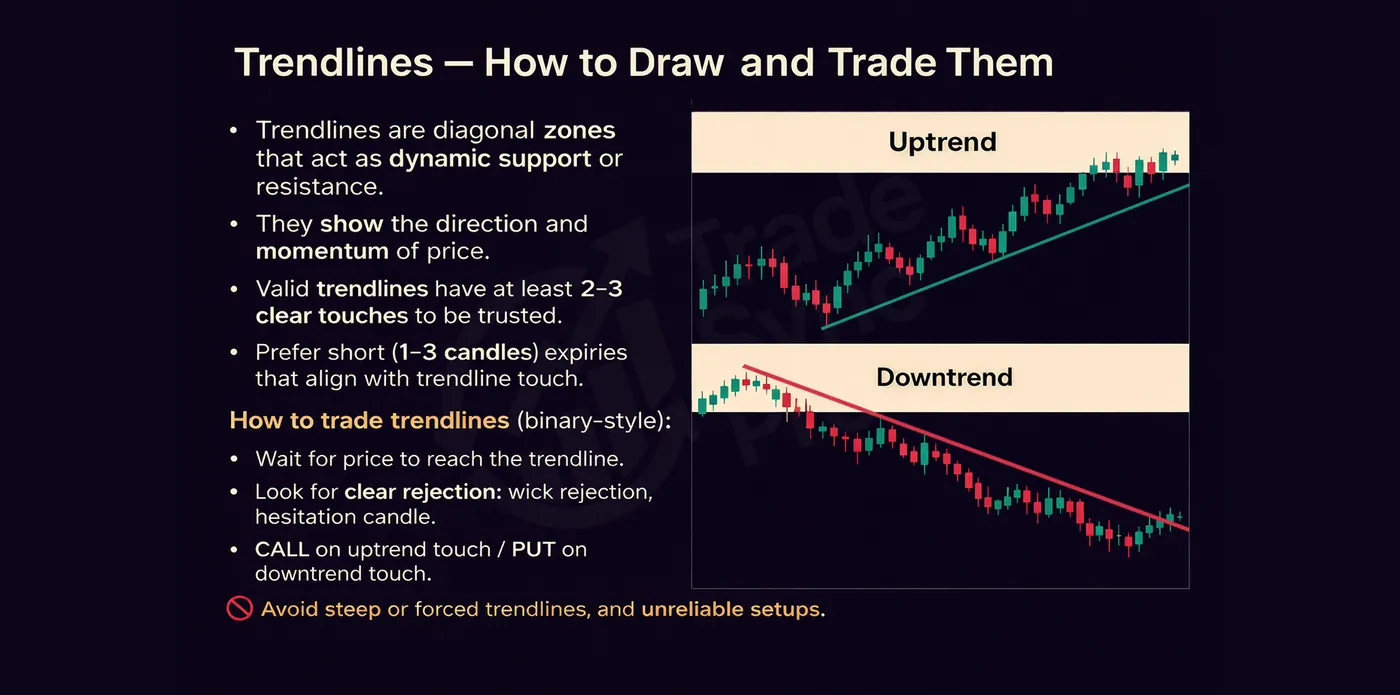
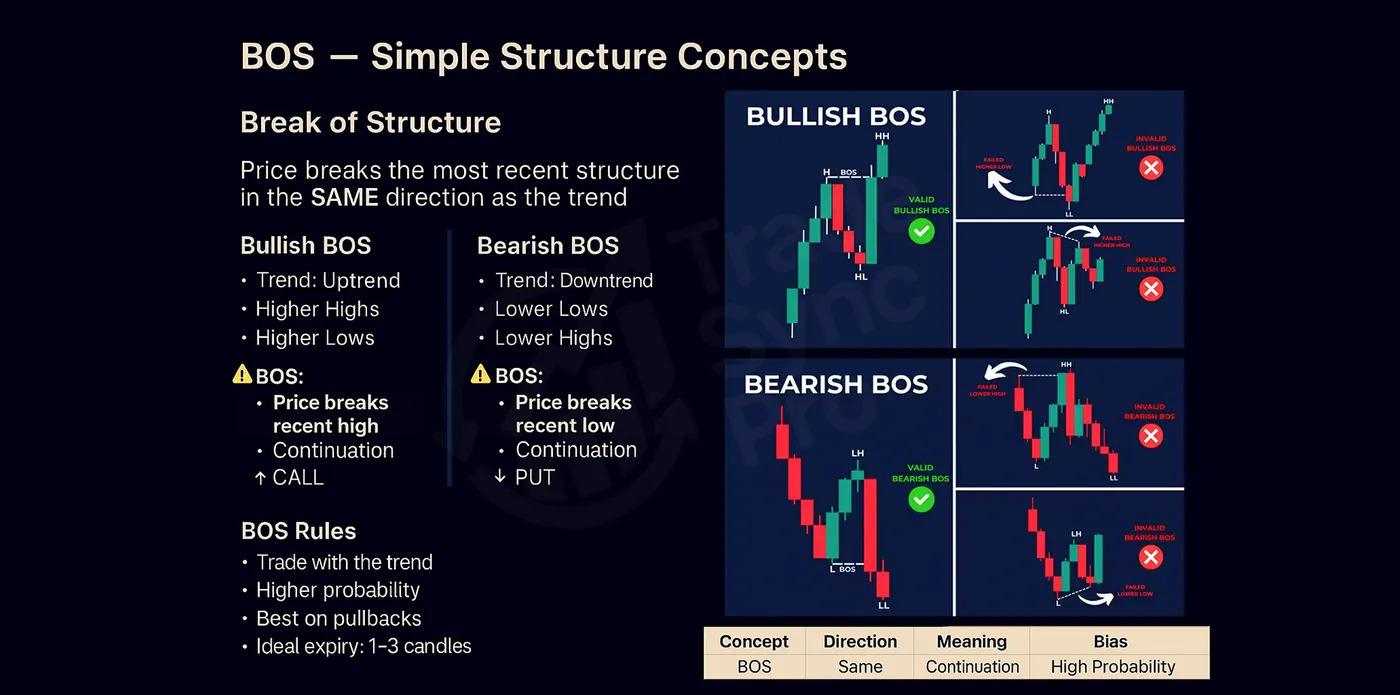
Identify the trend on HTF. Determine whether the market is bullish, bearish, or ranging by reading its highs, lows, and breaks of structure.
Locate price within the trend on MTF. Decide whether price is expanding, retracing, or approaching a point where continuation or reversal is more likely.
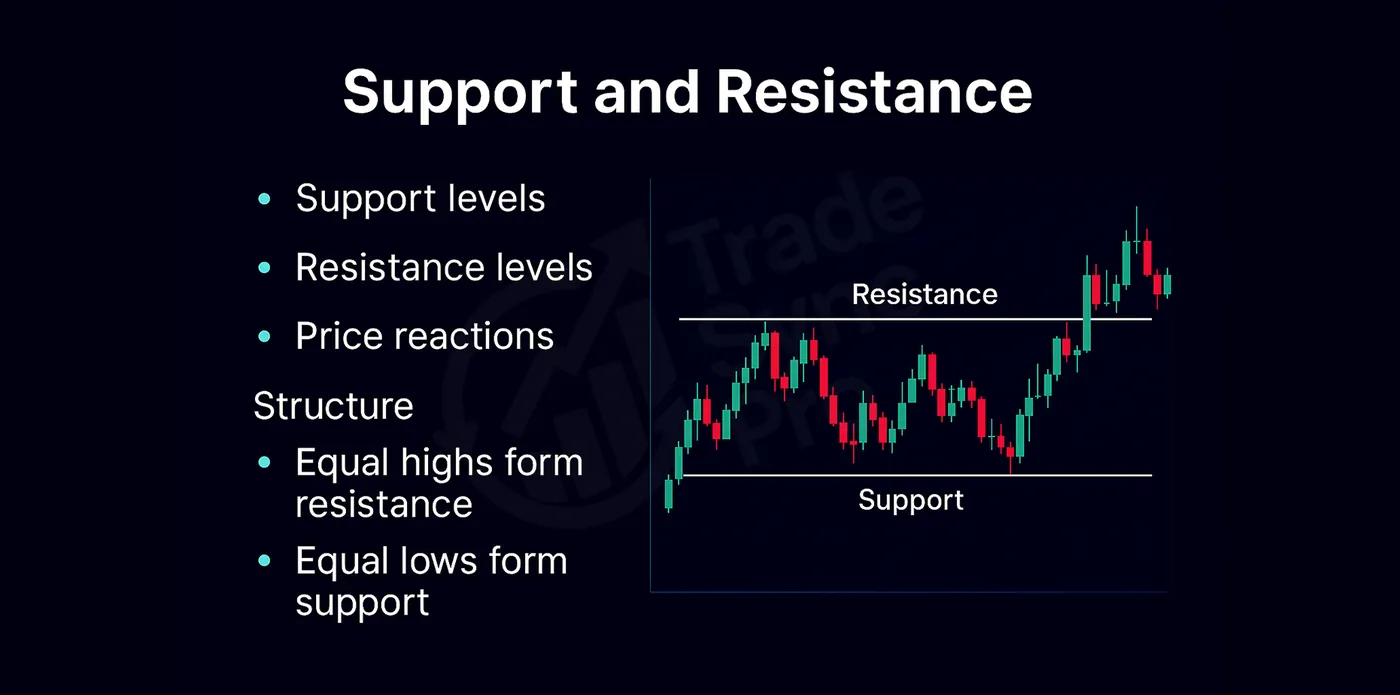
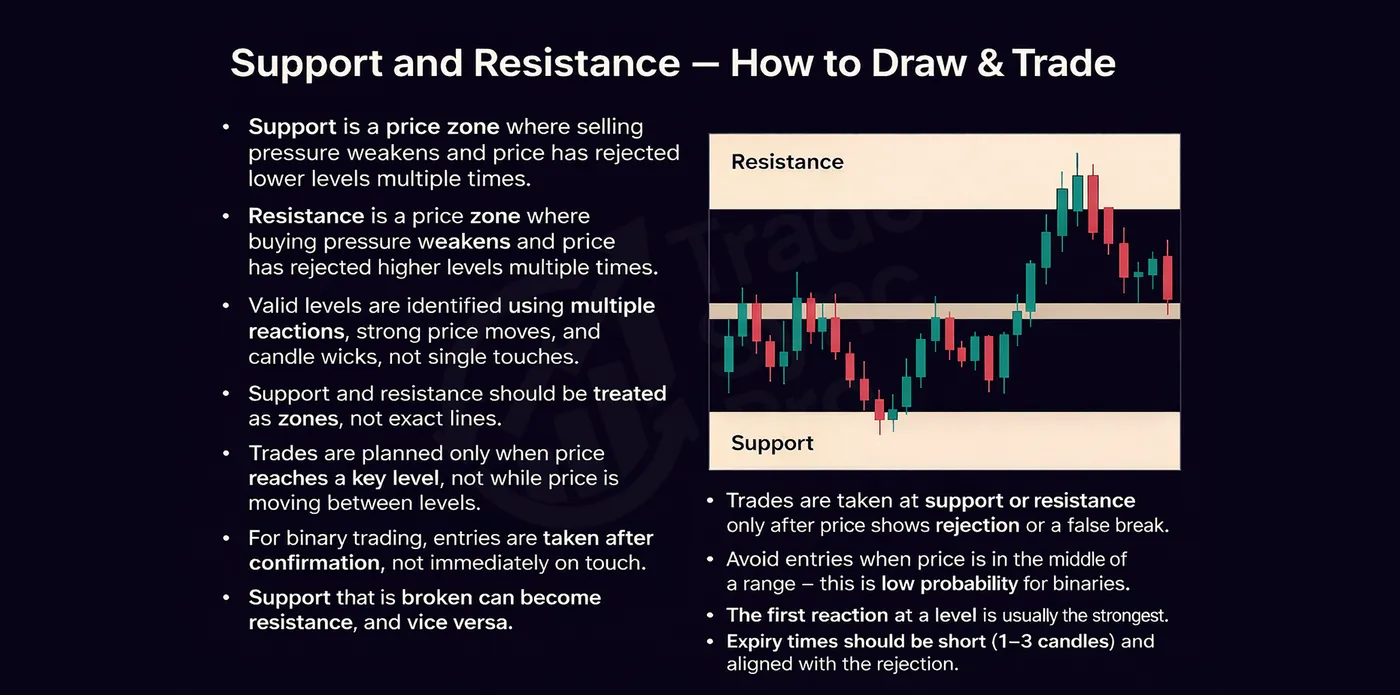
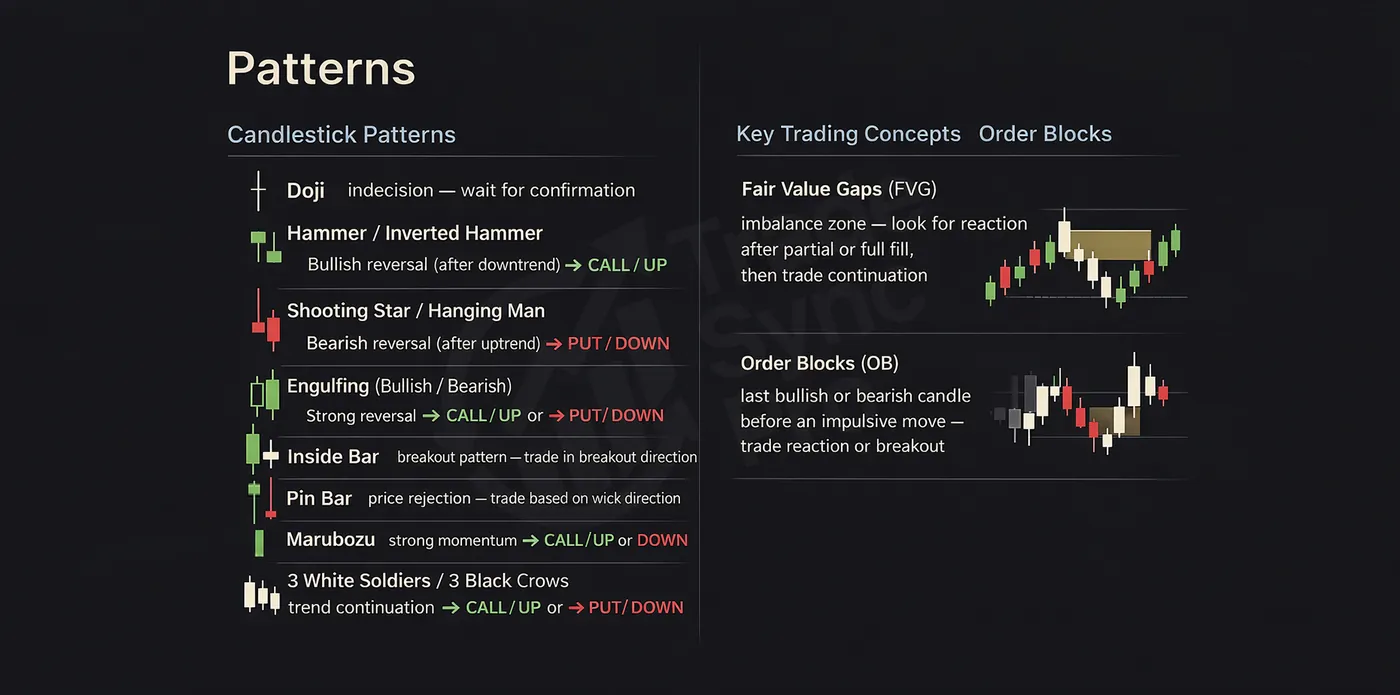
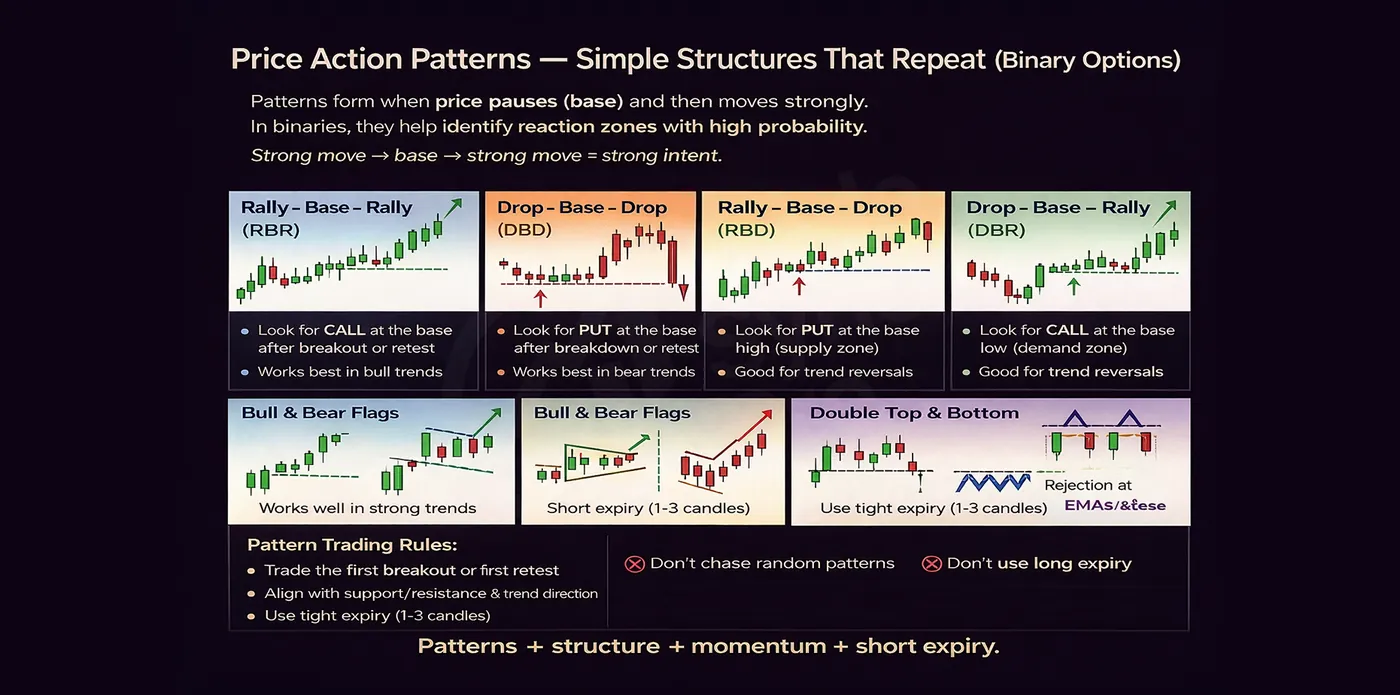
Mark the area of interest. Highlight the order block, fair value gap, support/resistance zone, or other structure that supports the trade idea.
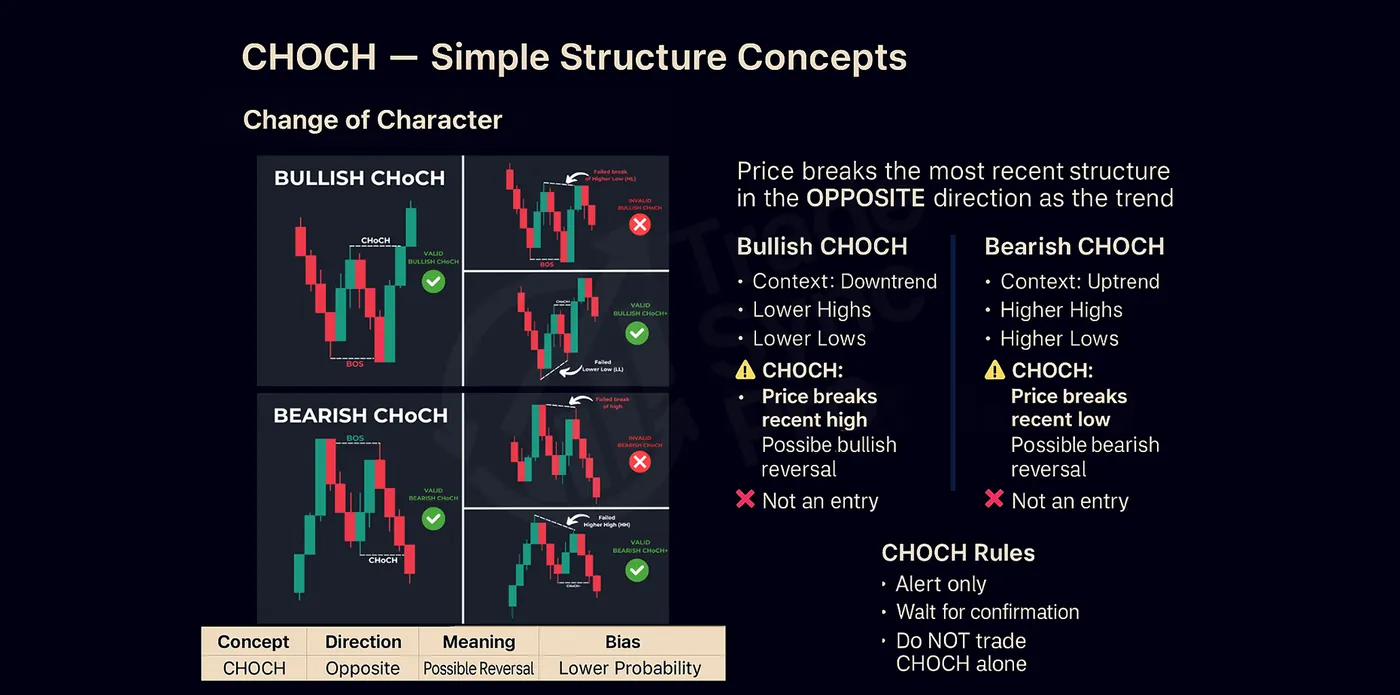
Wait for price and confirmation on LTF. Allow price to reach the area, then look for a reaction, rejection, liquidity sweep, change of character, or another valid entry confirmation.
Plan the invalidation point. Place the stop loss beyond the level price should not cross if the trade idea is correct.
Target the next objective. Take profit near the next liquidity pool, opposing area of interest, or level where a break of structure may occur.
Manage the position. Protect the trade by reducing risk or trailing the stop as price confirms the move and creates new structure.

Learn to Trade FREE Course (Compilation)

Work through the lessons in order using Previous and Next, or select any specific lesson from the course list.

12 Lessons
Current lesson
0:00 / 0:00
Foundation

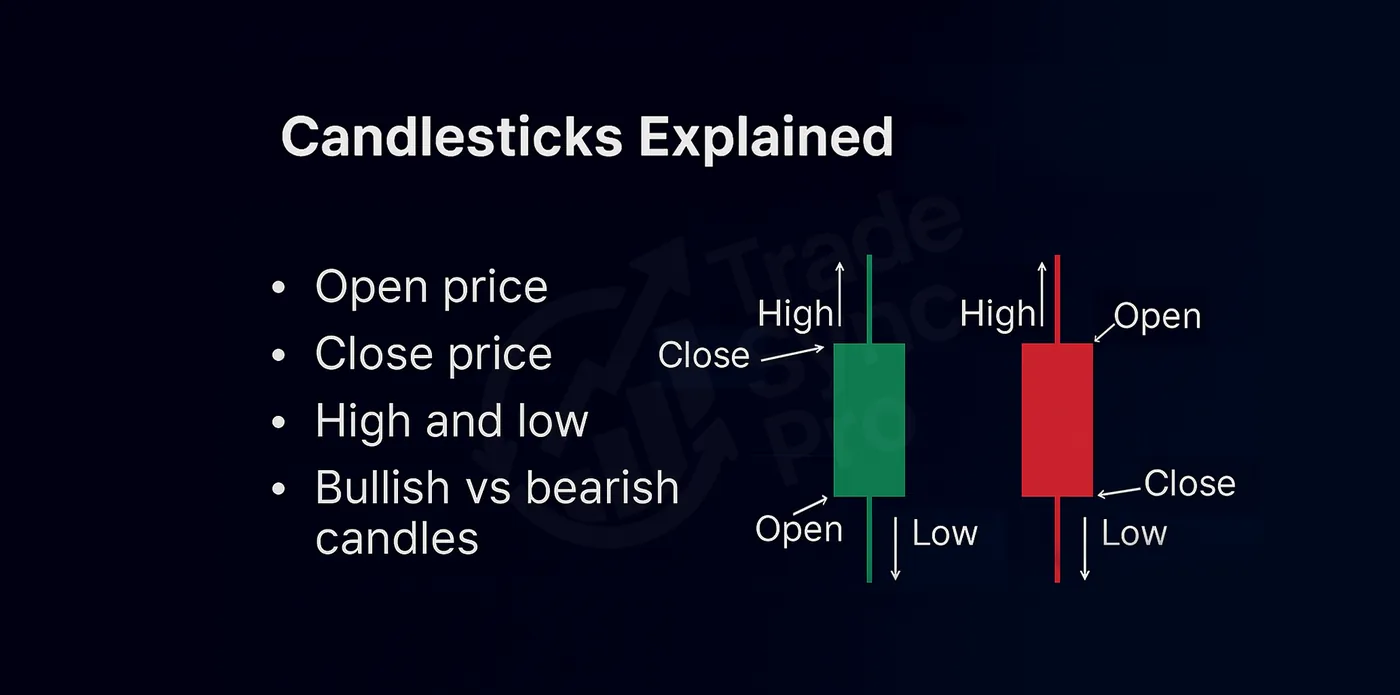
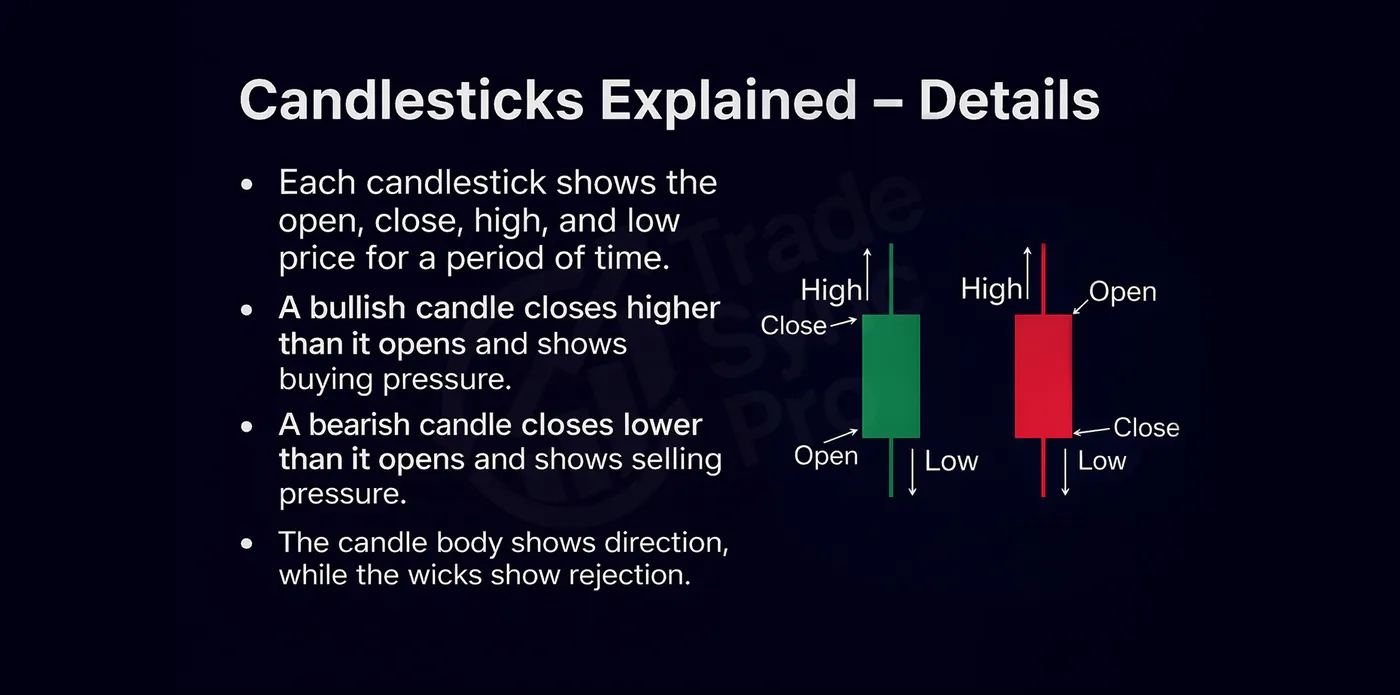
The Easiest Way to Understand Charting — Market Structure 101

Lesson 1 of 12

The Binary Blueprint

A 31-lesson course covering the full framework behind TradeSync Pro's approach to binary options. Work through the lessons in order.
31 Lessons
Full Course Unlocked
Lesson 1 / 31
The Binary Blueprint — Lesson 1
Lesson 2 / 31
The Binary Blueprint — Lesson 2
Lesson 3 / 31
The Binary Blueprint — Lesson 3
Lesson 4 / 31
The Binary Blueprint — Lesson 4
Lesson 5 / 31
The Binary Blueprint — Lesson 5
Lesson 6 / 31
The Binary Blueprint — Lesson 6
Lesson 7 / 31
The Binary Blueprint — Lesson 7
Lesson 8 / 31
The Binary Blueprint — Lesson 8
Lesson 9 / 31
The Binary Blueprint — Lesson 9
Lesson 10 / 31
The Binary Blueprint — Lesson 10
Lesson 11 / 31
The Binary Blueprint — Lesson 11
Lesson 12 / 31
The Binary Blueprint — Lesson 12
Lesson 13 / 31
The Binary Blueprint — Lesson 13
Lesson 14 / 31
The Binary Blueprint — Lesson 14
Lesson 15 / 31
The Binary Blueprint — Lesson 15
Lesson 16 / 31
The Binary Blueprint — Lesson 16
Lesson 17 / 31
The Binary Blueprint — Lesson 17
Lesson 18 / 31
The Binary Blueprint — Lesson 18
Lesson 19 / 31
The Binary Blueprint — Lesson 19
Lesson 20 / 31
The Binary Blueprint — Lesson 20
Lesson 21 / 31
The Binary Blueprint — Lesson 21
Lesson 22 / 31
The Binary Blueprint — Lesson 22
Lesson 23 / 31
The Binary Blueprint — Lesson 23
Lesson 24 / 31
The Binary Blueprint — Lesson 24
Lesson 25 / 31
The Binary Blueprint — Lesson 25
Lesson 26 / 31
The Binary Blueprint — Lesson 26
Lesson 27 / 31
The Binary Blueprint — Lesson 27
Lesson 28 / 31
The Binary Blueprint — Lesson 28
Lesson 29 / 31
The Binary Blueprint — Lesson 29
Lesson 30 / 31
The Binary Blueprint — Lesson 30
Lesson 31 / 31
The Binary Blueprint — Lesson 31

License

Your license key is checked directly against Gumroad from your browser. We never see or store it.

No active license

Your Data

Nothing is saved on our servers — your account settings, session history, and journal all live only in this browser's storage. Export a backup regularly — clearing your browser data will erase everything.